25 June 2026
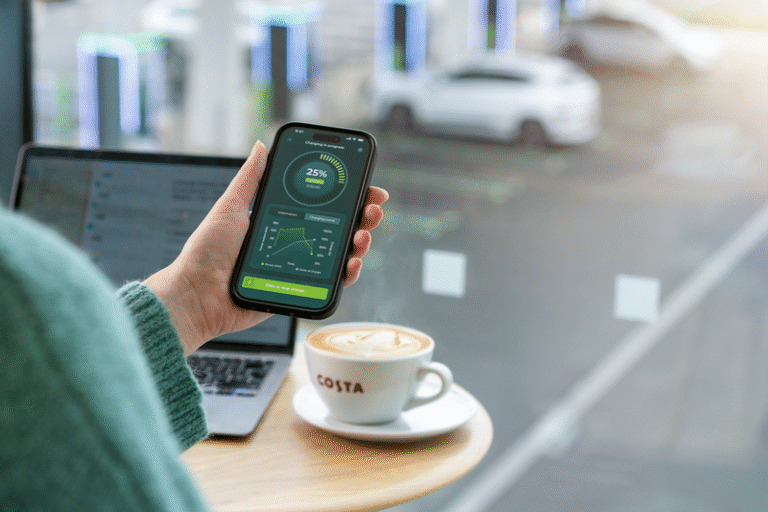
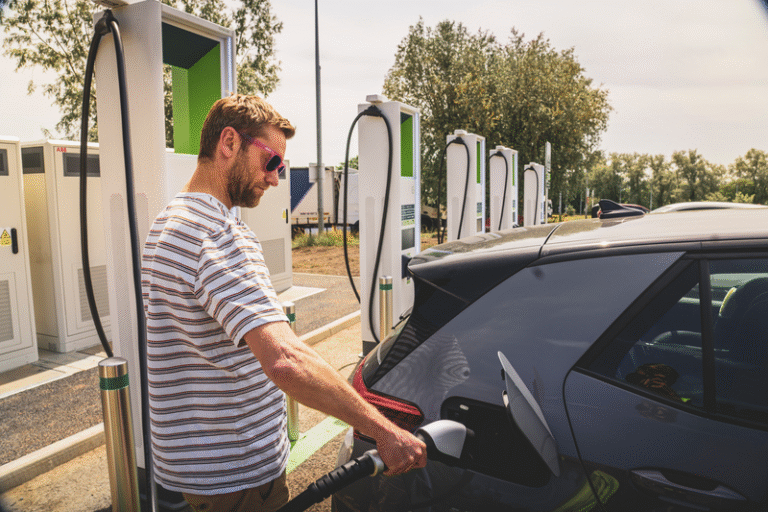
The GRIDSERVE app has been designed to bring additional benefits, features and functionality to customers of the GRIDSERVE Electric Highway.
All EV chargers across our award-winning nationwide network are membership free and feature contactless payment, but having this little sidekick will help make your charging experience even sweeter.


1
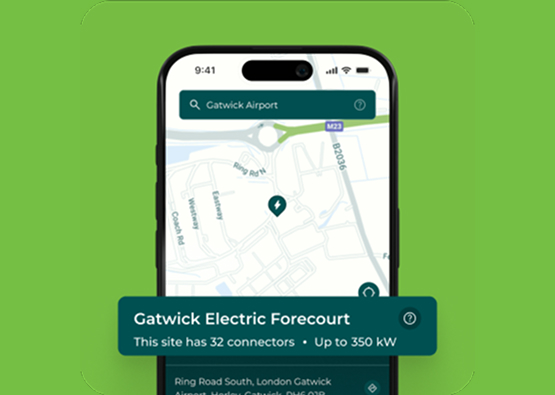
Find
All the EV charging information you need before you’ve arrived
4
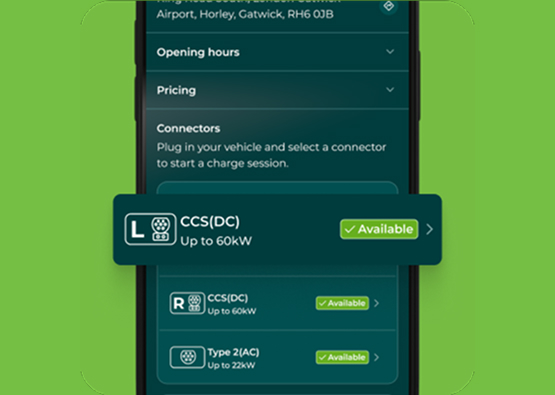
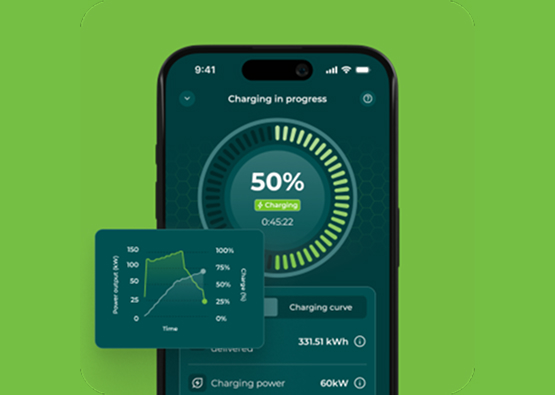
Monitor
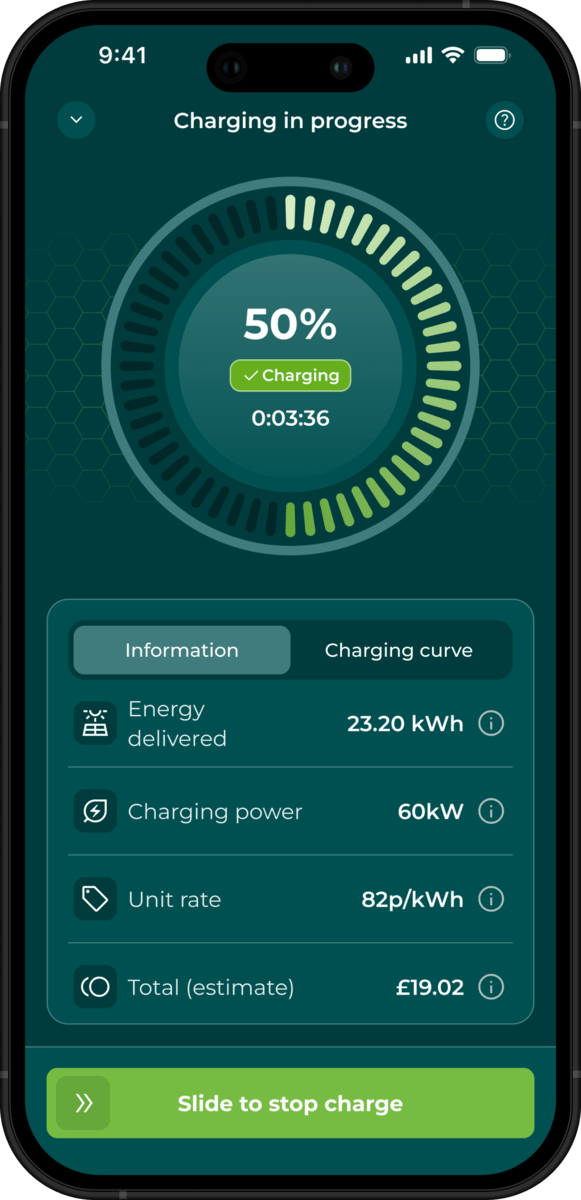
Start, stop and check your charging session remotely.
3
Pay
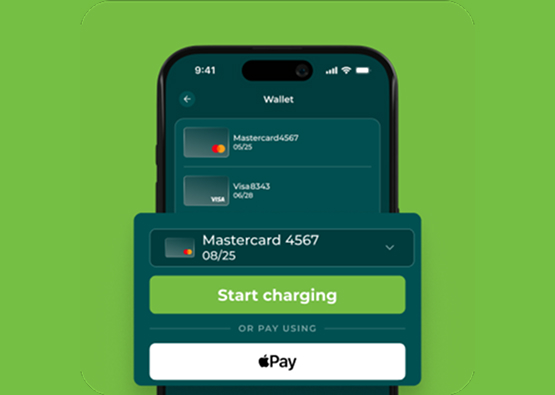
Pay for your EV charging session in just a few taps.
2
Charge
Plug into hundreds of EV chargers across the GRIDSERVE Electric Highway.
5
Receipts
Keep track of where and when you are charging.
A more rewarding way to charge
Save 25% on charging at over 200 locations covering 85% of the UK’s motorway network, plus retail parks, destination sites, and our award-winning Electric Forecourts.


Best features of the GRIDSERVE app
Plan your journey
Our app map makes it simple to plan your route and find the best EV chargers for your journey. You can check live availability across hundreds of High Power charging locations nationwide and choose your stop before you arrive to ensure a fuss free charging experience.
Check your charge
You can start, stop and pay for your charging sessions directly through the app. With live charging status available at your fingertips, it is easy to monitor the charging power, energy delivered and cost in real-time.
Access your receipts
You can store your payment cards and pay with the app to keep every journey moving as smoothly as possible. This gives you immediate access to charging receipts and ensures the charging history for your EV is conveniently stored in one place.
Trusted with every journey
Excellent
347reviews on Trustpilot
TrustpilotAflakha very helpful after having issues with a few chargers. Quick to answer and solve the problem. Many thanks! Craig
Excellent advice and service from Aflakha when I needed help using the Gridserve App for the first time. Being a senior citizen…
They had a lot of patience with me as a new person to electric charging and unsure, they even rang me and talked me through the…
Free charge point on arrival. App worked perfectly, sorted in 20 minutes
They had a lot of patience with me as a new person to electric charging and unsure, they even rang me and talked me through the…
Aflakha very helpful after having issues with a few chargers. Quick to answer and solve the problem. Many thanks! Craig
Excellent advice and service from Aflakha when I needed help using the Gridserve App for the first time. Being a senior citizen…
Free charge point on arrival. App worked perfectly, sorted in 20 minutes
FAQs
Simply download the GRIDSERVE app from the Apple Store or Google Play and register your account details. You’ll need to provide your name, email address and a valid payment card that will need to be verified, but then you’ll be able to charge your vehicle anywhere on the GRIDSERVE Electric Highway in just a few taps of your phone.
Yes. You can add multiple payment cards into your wallet, regardless of whether you have downloaded the Apple or Google version of the GRIDSERVE app.
The GRIDSERVE app works separately to your car’s infotainment system. For navigation requests, however, the coordinates for any of our EV charging locations can be shared via Apple Maps, Google Maps or Waze. This means that if you have smartphone mirroring (Apple CarPlay or Android Auto) available on your car, you can use the car’s infotainment screen to navigate to your preferred EV charger.
As we mentioned above, you’re not actually tied into any carmaker’s ecosystem as the GRIDSERVE app is its own thing. That’s great because it means it works with whatever car you’re driving. With smartphone mirroring (Apple CarPlay or Android Auto), however, you can use the car’s infotainment screen to navigate to your preferred EV charging location via Apple Maps, Google Maps or Waze.
Your last 12 EV charging sessions will also be documented within your ‘charging activity’ folder so you can see when and where you charged and how much it cost. Receipts will be automatically emailed to you after every EV charging session, so don’t worry about having to download receipts.
Autocharge allows to you to start a charge automatically the moment you plug in. No app navigation, no tapping cards. One setup, then it just works. To find out if your car supports this feature, check out our compatibility checker here.
They are similar but there is a difference between the two. Plug and Charge takes the Just Plug In experience further and has wider adoption in the automotive industry. As manufacturers roll the Plug & Charge ISO 15118 standard, more drivers will be able to start and pay for charging automatically.
We’re preparing the network for this upgrade, so you benefit from this feature.